:.: Plakar on OpenBSD
I have been using bupstash for quite a bit, but the project upstream looks kinda abandoned or very slow in some new features or fixing bugs, so I started to look for alternatives until I found out Plakar.
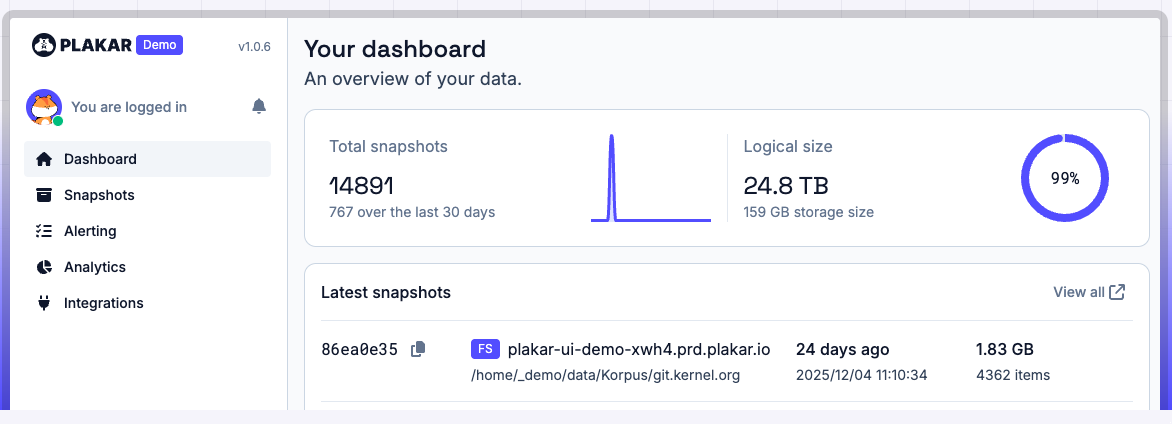
From the website:
Backup Anything. Store Anywhere.
Restore Everywhere.
The Open Source standard for unified resilience.
Secure your Cloud, SaaS and On-Prem data with native zero-trust encryption.
Around a year and a half I am using/testing Plakar for my laptops and some other things. If you don't know about it, go to the website and dig on it, spoiler alert, some fellows from OpenBSD are working there... for example my good amigo op@. The leader of the project is gilles@, rings a bell OpenSMTPD?
Plakar is really cool and easy going to use, on OpenBSD has some limitations (for now, I am taking care of bothering op@ enough to fix them all), specially on the concurrency and the amount of open files, for example backup your full home or a big large directory can lead to some issues (this is fine on Loonix), for example crashing the plakar agent. Again, this is taking care of closely, so should be fix soon.
What we can do with Plakar? A lot, specially backup to a different places and technologies, for example S3, Dropbox, iCloud among others, those are called integrations and they have plenty. We are gonna focus now on the basic one, and how a normal backup flow will look from a local directory to an external disk on my OpenBSD machine.
:. Installation
On OpenBSD installations are pretty easy and this one is not the exeption (try to get the very latest one, to this day, should be 1.0.6).
$ doas pkg_add plakar:. Configuration
Once we have Plakar installed, we need to define where our backups will be stored, what to back up, and a good password. I will assume that you mounted the external disk, NAS, or some external device to the machine.
We create the store where the backups will live:
$ plakar store add nas01 /home/gonzalo/External/NAS/NAS01/
$ plakar at "@nas01" create
repository passphrase:
repository passphrase (confirm):
Our store is now created with a strong password (if you don't want to enter it each time and you want to save it to a file, check out the -keyfile flag and keep that file safe ;)). The destination directory at this point should look like:
$ ls -al /home/gonzalo/External/NAS/NAS01/
.  ..  CONFIG  locks  packfiles  states
:. Backup all the things!
Time to back up the data into the new store — this is very straightforward with the following command:
$ plakar at "@nas01" backup Test/
repository passphrase:
...
0f32797c: OK ✓ /home/gonzalo/Test/0000007.pdf
0f32797c: OK ✓ /home/gonzalo/Test/0000006.pdf
0f32797c: OK ✓ /home/gonzalo/Test/0000009.pdf
0f32797c: OK ✓ /home/gonzalo/Test/0000010.pdf
0f32797c: OK ✓ /home/gonzalo/Test/0000012.jpg
0f32797c: OK ✓ /home/gonzalo/Test/0000008.jpg
0f32797c: OK ✓ /home/gonzalo/Test/0000011.jpg
0f32797c: OK ✓ /home/gonzalo/Test/0000014.jpg
0f32797c: OK ✓ /home/gonzalo/Test/0000016.pdf
0f32797c: OK ✓ /home/gonzalo/Test/0000015.jpg
0f32797c: OK ✓ /home/gonzalo/Test/0000003.pdf
0f32797c: OK ✓ /home/gonzalo/Test/0000017.jpg
0f32797c: OK ✓ /home/gonzalo/Test/0000013.jpg
0f32797c: OK ✓ /home/gonzalo/Test/0000019.jpg
0f32797c: OK ✓ /home/gonzalo/Test/0000021.pdf
0f32797c: OK ✓ /home/gonzalo/Test/0000018.jpg
0f32797c: OK ✓ /home/gonzalo/Test/0000023.pdf
0f32797c: OK ✓ /home/gonzalo/Test/0000020.jpg
0f32797c: OK ✓ /home/gonzalo/Test/0000025.jpg
0f32797c: OK ✓ /home/gonzalo/Test/0000024.jpg
0f32797c: OK ✓ /home/gonzalo/Test/0000027.pdf
0f32797c: OK ✓ /home/gonzalo/Test/0000022.jpg
0f32797c: OK ✓ /home/gonzalo/Test/0000029.pdf
0f32797c: OK ✓ /home/gonzalo/Test/0000030.pdf
0f32797c: OK ✓ /home/gonzalo/Test/0000028.jpg
0f32797c: OK ✓ /home/gonzalo/Test/0000032.jpg
0f32797c: OK ✓ /home/gonzalo/Test/0000031.jpg
0f32797c: OK ✓ /home/gonzalo/Test/0000026.jpg
0f32797c: OK ✓ /home/gonzalo/Test/0000033.jpg
0f32797c: OK ✓ /home/gonzalo/Test/0000036.pdf
0f32797c: OK ✓ /home/gonzalo/Test/0000035.jpg
0f32797c: OK ✓ /home/gonzalo/Test/0000038.pdf
0f32797c: OK ✓ /home/gonzalo/Test/0000039.pdf
0f32797c: OK ✓ /home/gonzalo/Test/0000040.pdf
0f32797c: OK ✓ /home/gonzalo/Test/0000041.pdf
...
0f32797c: OK ✓ /home/gonzalo/Test/0000323.jpg
0f32797c: OK ✓ /home/gonzalo/Test
0f32797c: OK ✓ /home/gonzalo
0f32797c: OK ✓ /
info: backup: created unsigned snapshot 0f32797c of size 805 MiB in 1m37.182512865s (wrote 806 MiB)
:. Conclusion
Pretty fast, no? The backup is done — that was just a simple backup run by hand, but you can schedule backups (https://plakar.io/docs/v1.0.6/guides/setup-scheduler-daily-backups/), exclude files from them (https://plakar.io/docs/v1.0.6/guides/excluding-files-from-a-backup/), serve a kloset store over HTTP (https://plakar.io/docs/v1.0.6/guides/serving-a-kloset-store-over-http/), or use one of my favorites that I didn't expect to have: a very nice UI to manage the whole thing (https://plakar.io/docs/v1.0.6/references/commands/plakar-ui/), that you can use with something like:
$ plakar at @nas02 ui -addr 10.0.0.3:9090 -no-spawn
repository passphrase:
launching webUI at http://10.0.0.3:9090?plakar_token=9c6cbb2c-41eb-4b18-a84b-e13870b95769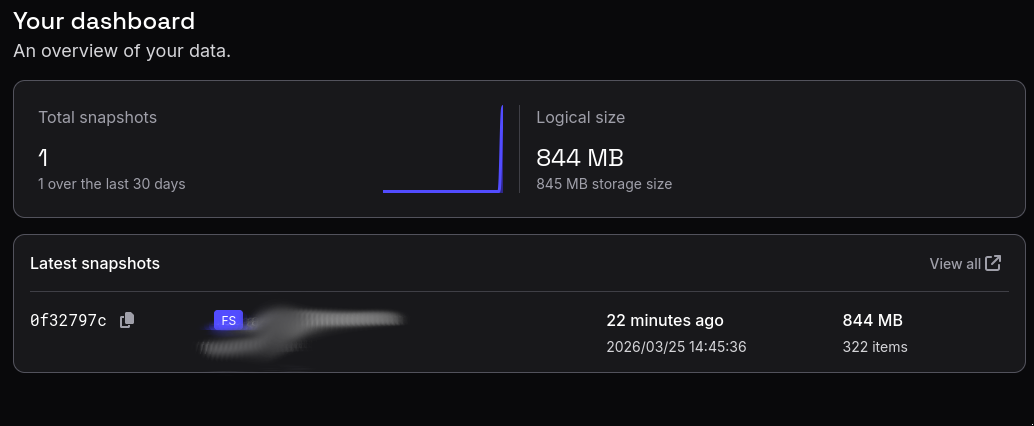
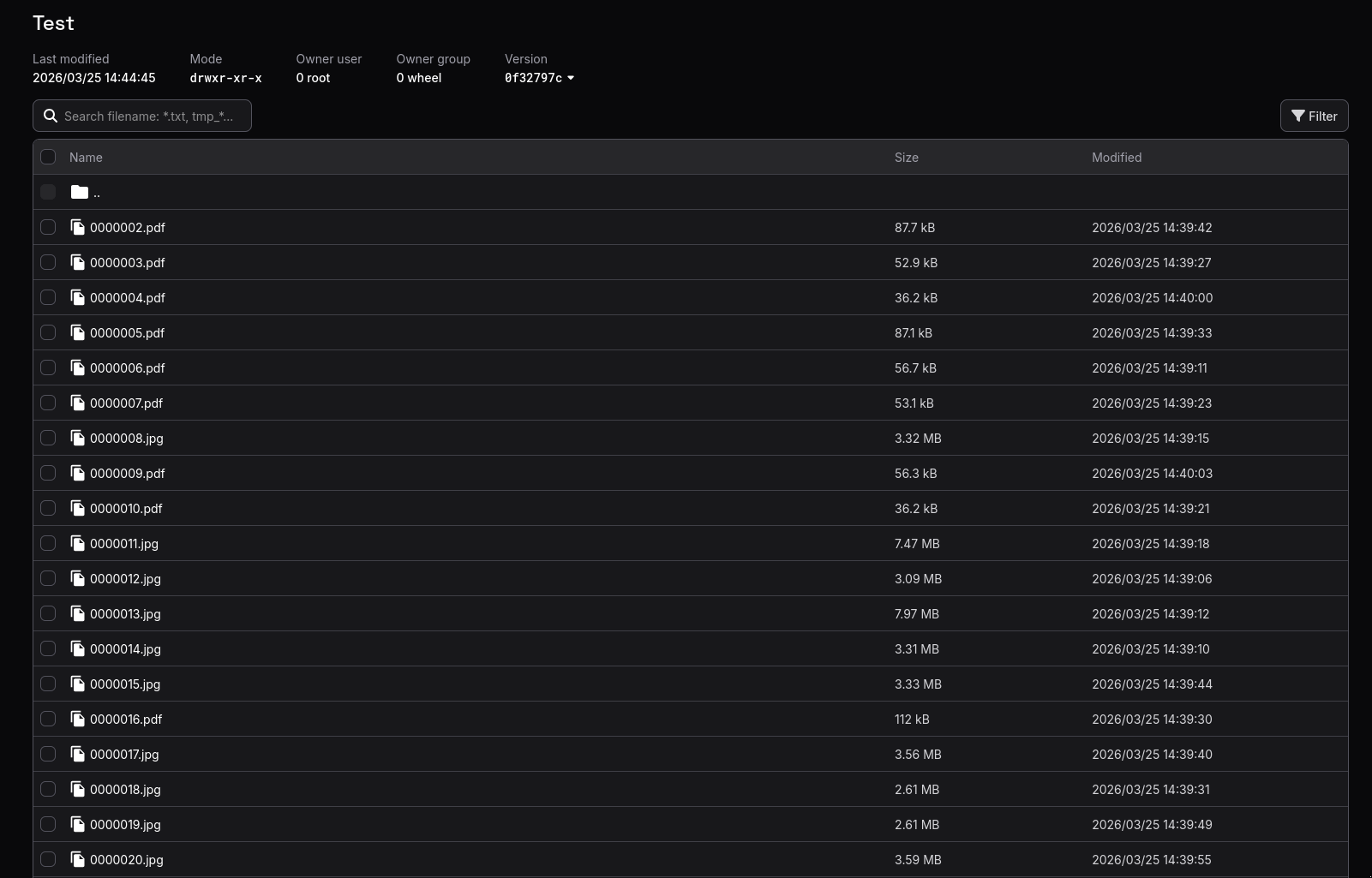
The files on the snapshots looks like this, you can even download them from there directly!
If this is a server and getting a web up and running between nat and other things, you can also get some stats from the console by doing:
$ plakar at @nas01 ls
repository passphrase:
2026-03-25T13:45:36Z   0f32797c   805 MiB     1m37s /home/gonzalo/Test
So now you know, backup all the things everywhere!