:.: Updating Nextcloud is really hard
Hi there, neuromancer from the cloud! A few days ago, my old friend stsp@ sent me this link https://types.pl/@132ikl/117479884088183724, and since I'm fluent in reading between the lines, it was really clear that stsp@ was trying to tell me that my port is crap and super hard to update. So I got deeply offended by it and decided to write this little article about how I do my monthly Nextcloud updates on OpenBSD.
I will assume that you are running -current, but it really doesn't matter much because the process is the same on -release too. Anyway, for the example, I will use my server, which is running -current, and it has:
[cloud@root] ~ ~> # pkg_info | grep nextcloud
nextcloud-35.0.0p0  easy and universal access to shared and/or personal files
Now, since I committed the update for it, you can get the new version installed with:
[cloud@root] ~ ~> # pkg_add -Vu nextcloud
quirks-7.254 signed on 2026-10-25T16:17:53Z
--- -nextcloud-35.0.0p0 -------------------
You should also check /var/www/nextcloud/config/config.php (which was modified)
Once that's done, you have the new version installed on your filesystem, but the actual deployment of the new version is about to start. Before that, though, since version 34 or 35 (you'd have to check, as I don't really remember), you'll see this warning in your config.php:
/*
 * WARNING
 *
 * This file gets modified by automatic processes and all lines that are not
 * active code (ie. comments) are lost during that process.
 *
 * If you want to document things with comments or use constants add your settings
 * in a '<NAME>.config.php' file which will be included and rendered into this file.
 *
 * Example:
 *   <?php
 *   $CONFIG = [];
 *
 * See also: https://docs.nextcloud.com/server/latest/admin_manual/configuration_server/config_sample_php_parameters.html#multiple-merged-configuration-files
 */
This allows you to do something like this:
[cloud@root] ~ ~> cat /var/www/nextcloud/config/datadirectory.config.php
<?php
$CONFIG['datadirectory'] = ((php_sapi_name() == 'cli') ? '/var/www' : '') . '/nextcloud-data';
And play nicely with chroot(8) in httpd. At this point, your installation in the browser will show you something like this:
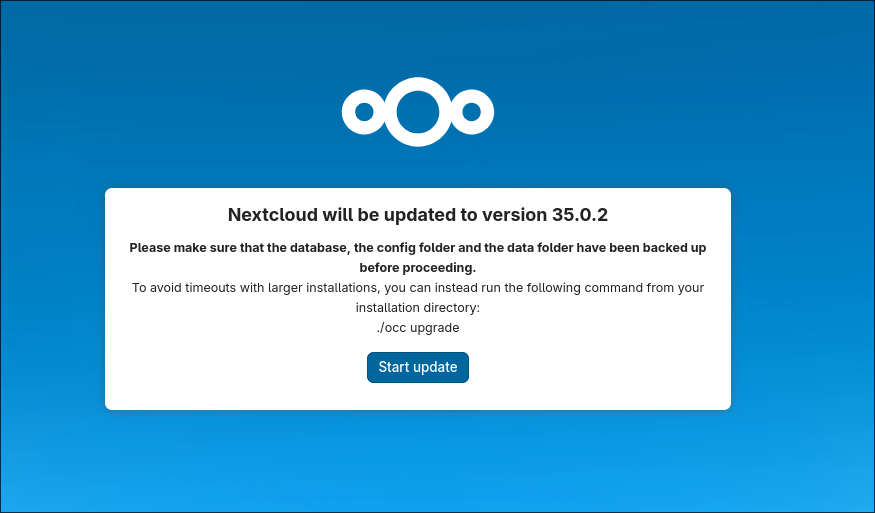
Now, on the server, we can just run the following (I added a few cool extra commands just for you, but the upgrade command is more than enough):
[cloud@root] ~ ~> cd /var/www/nextcloud
[cloud@root] ~ ~> su -m www -c "/usr/local/bin/php-8.5 ./occ upgrade"
... PHP MAGIC ...
[cloud@root] ~ ~> su -m www -c "/usr/local/bin/php-8.5 ./occ db:add-missing-indices"
... PHP MAGIC ...
[cloud@root] ~ ~> su -m www -c "/usr/local/bin/php-8.5 ./occ files:cleanup"
... PHP MAGIC ...
[cloud@root] ~ ~> su -m www -c "/usr/local/bin/php-8.5 ./occ files:repair-tree"
The output would look something like this:
Setting log level to debug
Turned on maintenance mode
Updating database schema
Updated database
Updating <federation> ...
Updated <federation> to 2.0.0
Updating <lookup_server_connector> ...
Updated <lookup_server_connector> to 2.0.0
Updating <oauth2> ...
Updated <oauth2> to 2.0.0
Updating <cloud_federation_api> ...
Updated <cloud_federation_api> to 2.0.0
Updating <dav> ...
Fix broken values of calendar objects
 Done
    0/0 [============================] 100%
Clean up old calendar subscriptions from deleted users that were not cleaned up
 Done
    0/0 [============================] 100%
Updated <dav> to 2.0.0
Updating <files> ...
Updated <files> to 3.0.0
Updating <files_lock> ...
Updated <files_lock> to 35.0.1
Updating <files_trashbin> ...
Updated <files_trashbin> to 2.0.0
Updating <files_versions> ...
Updated <files_versions> to 2.0.0
Updating <webhook_listeners> ...
Updated <webhook_listeners> to 2.0.0
Updating <workflowengine> ...
Updated <workflowengine> to 3.0.0
Updating <notifications> ...
Updated <notifications> to 8.0.1
Updating <systemtags> ...
Updated <systemtags> to 2.0.0
Updating <theming> ...
Updated <theming> to 3.0.0
Updating <appstore> ...
Updated <appstore> to 2.0.0
Updating <contactsinteraction> ...
Updated <contactsinteraction> to 2.0.0
Updating <dashboard> ...
Updated <dashboard> to 8.0.0
Updating <federatedfilesharing> ...
Updated <federatedfilesharing> to 2.0.0
Updating <files_reminders> ...
Updated <files_reminders> to 2.0.0
Updating <profile> ...
Updated <profile> to 2.0.0
Updating <provisioning_api> ...
Updated <provisioning_api> to 2.0.0
Updating <settings> ...
Updated <settings> to 2.0.0
Updating <text> ...
Updated <text> to 9.0.1
Updating <twofactor_backupcodes> ...
Updated <twofactor_backupcodes> to 2.0.0
Updating <updatenotification> ...
Updated <updatenotification> to 2.0.0
Updating <user_status> ...
Updated <user_status> to 2.0.0
Updating <weather_status> ...
Updated <weather_status> to 2.0.0
Update app calendar from App Store
Update app contacts from App Store
Update successful
Turned off maintenance mode
Resetting log level
And that's all; you're done. It's probably a five-minute job, not that complicated, right? I hope this makes stsp@ happy again and that he accepts me back on Facebook.